Integrations
Add ChytBot to your website in minutes. Select your platform below for step-by-step instructions.
Platforms
Shopify Setup
Providing exceptional customer support is crucial for the success of your Shopify store. ChytBot helps you achieve that with AI-powered assistance.
Copy the Chatbot’s Code Snippet
A unique code snippet will be generated for your chatbot. Click "Copy code" to save the code to your clipboard, ensuring you capture the full snippet.
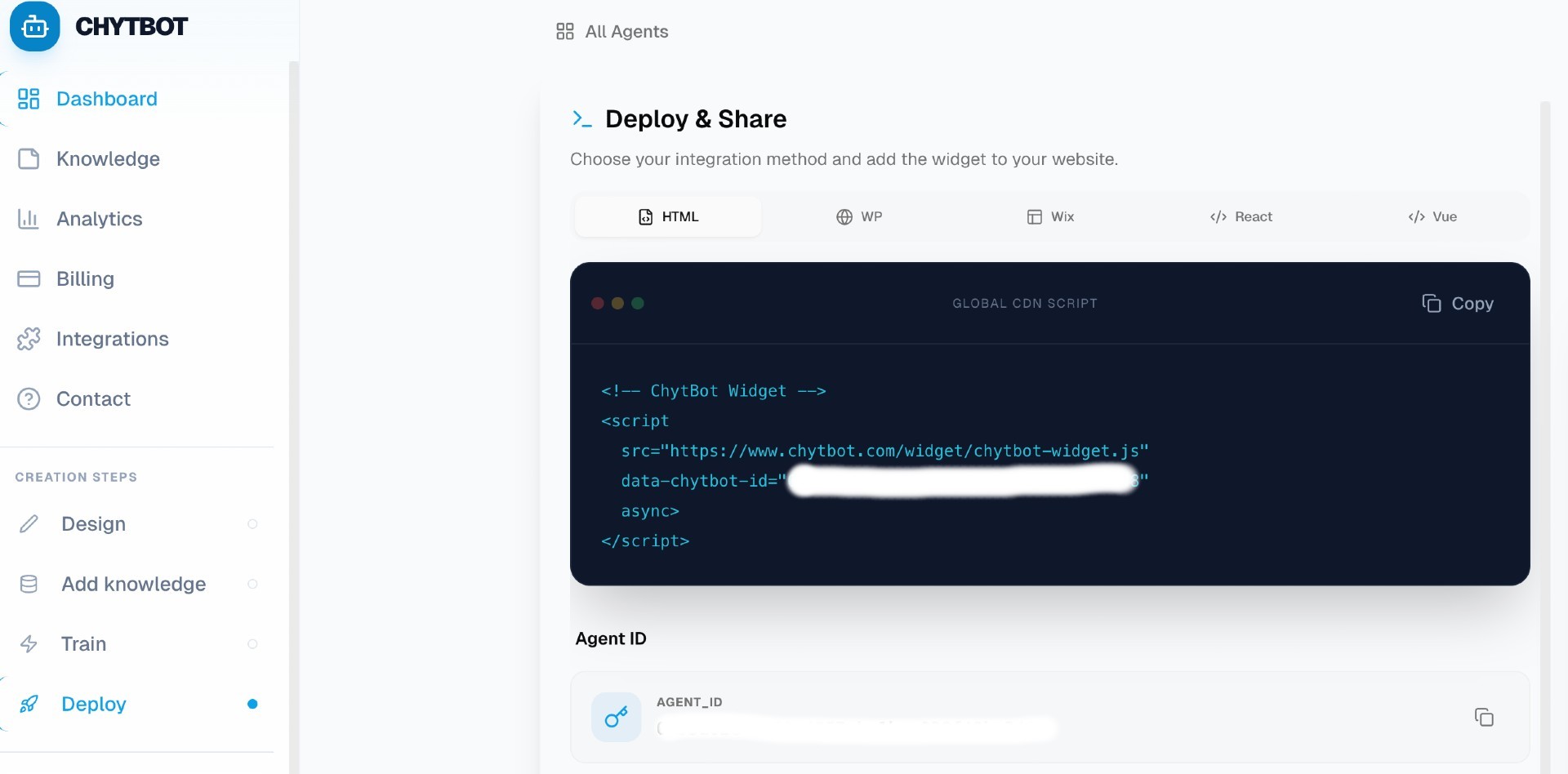
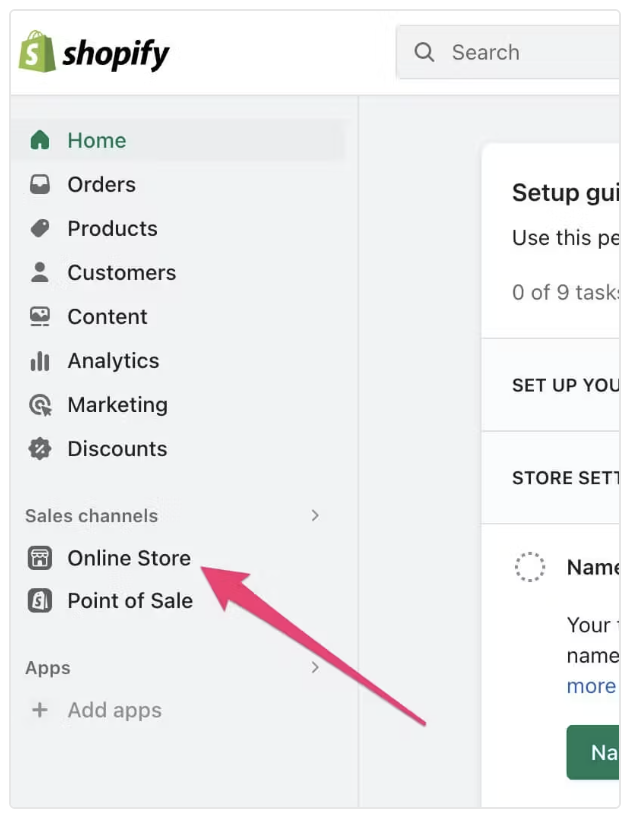
Open Your Shopify Admin Panel
Log in to your Shopify admin dashboard using your Shopify credentials. From the left-hand menu, click "Online Store" under the Sales Channels section.
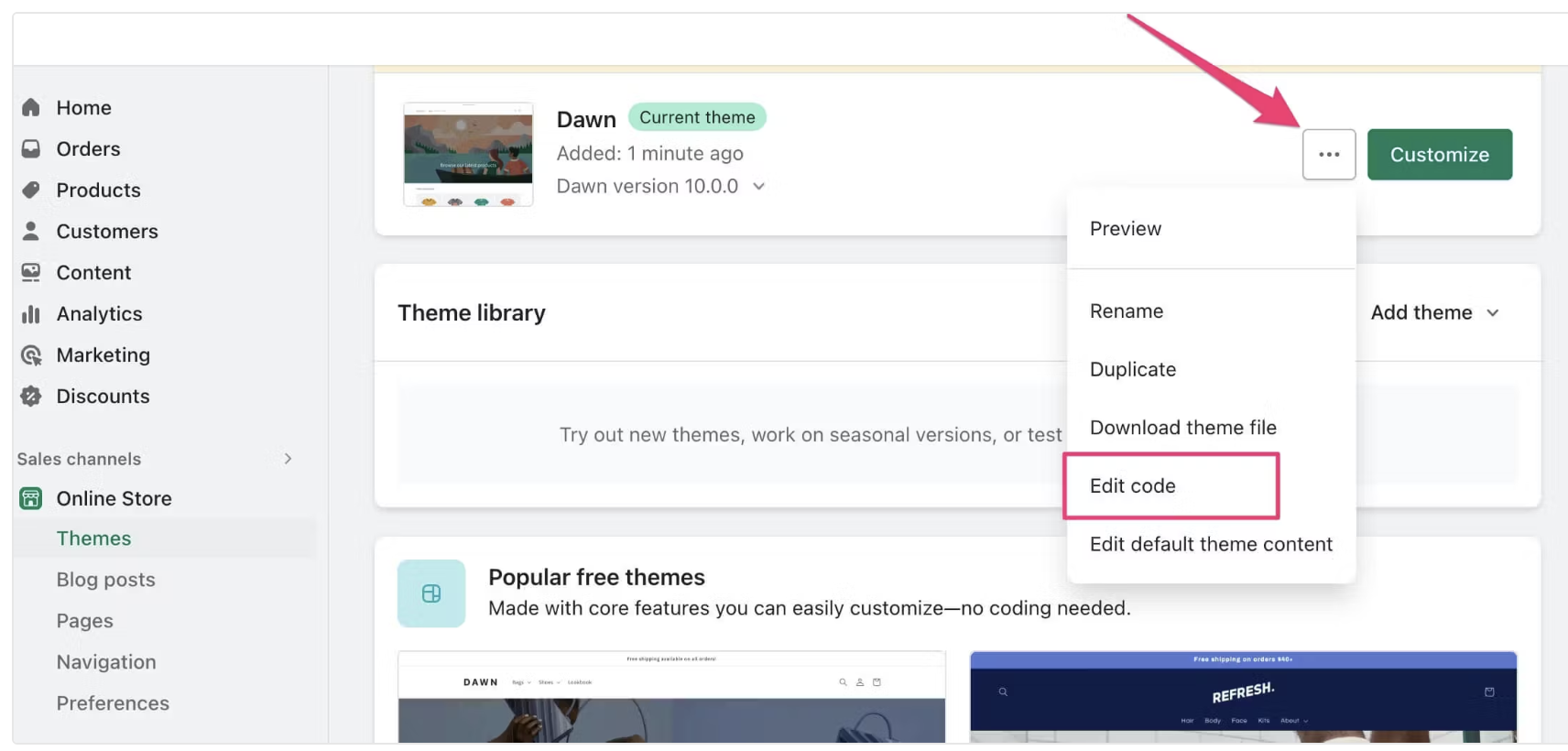
Edit Your Theme Code
In the Themes section, locate your current theme. Click the ellipsis (•••) icon next to the theme and select "Edit Code" to access the theme files.
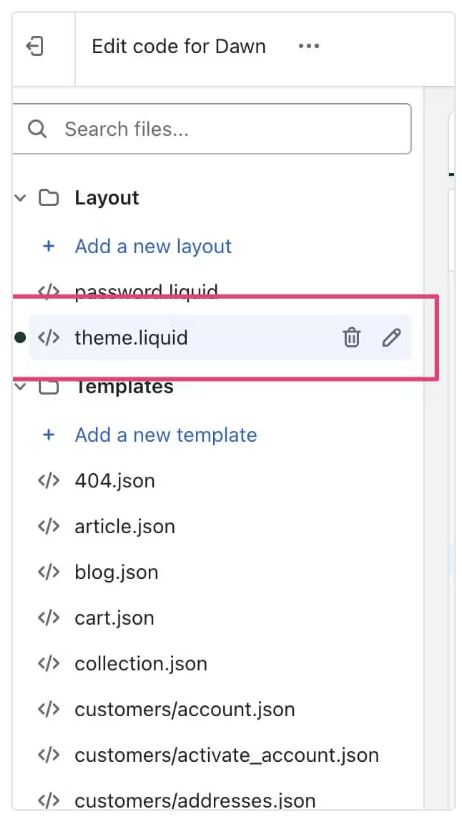
Open the theme.liquid File
Scroll through the list of theme files under the “Layout” section in the left panel. Click on theme.liquid to open it for editing.
Insert the Chatbot Code Snippet
Find the <head> section in theme.liquid and paste the copied code snippet anywhere between the <head> and </head> tags.
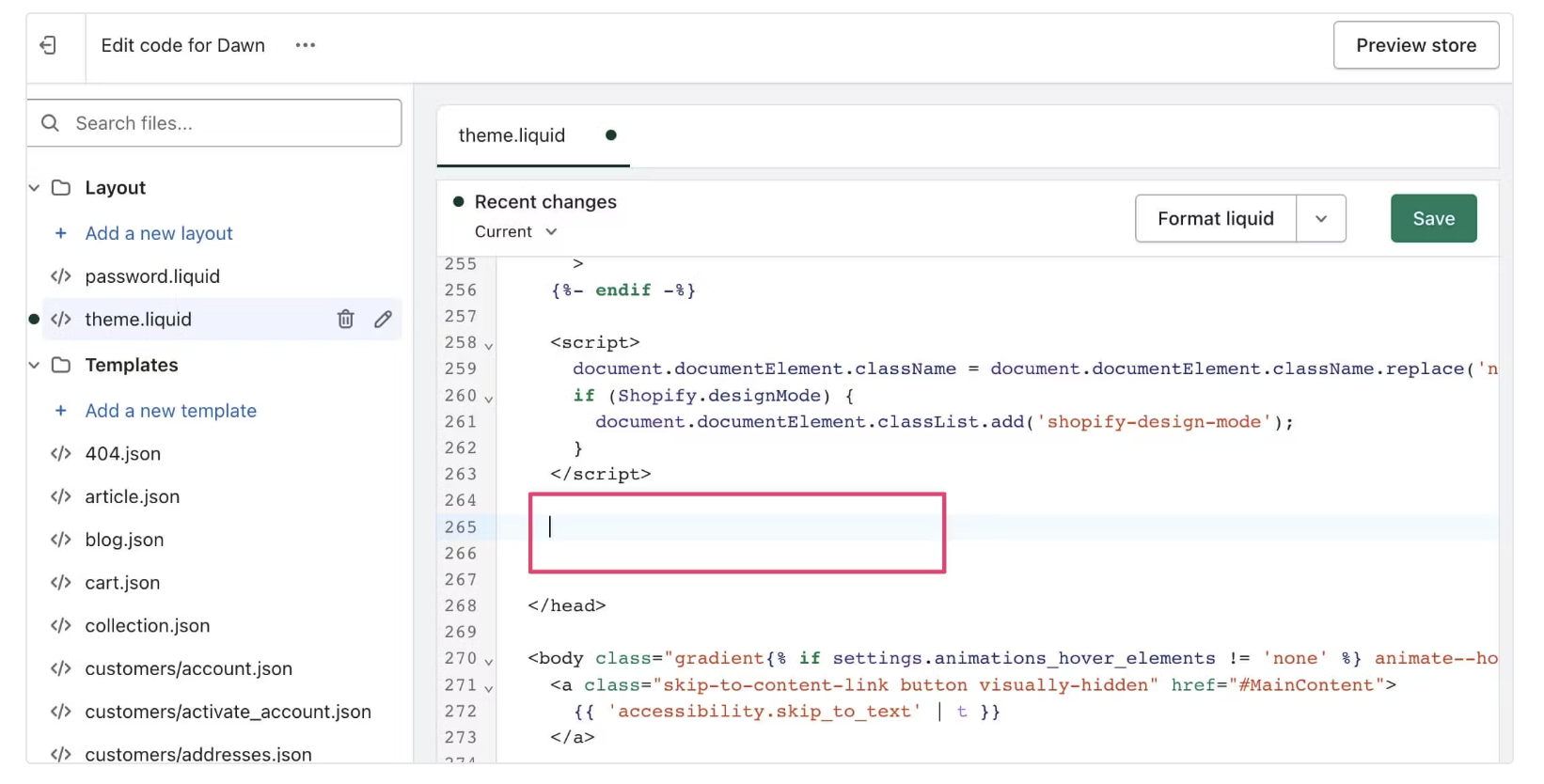
Save and Publish Changes
After pasting the embed code, click "Save" in the top right corner of the editor. Your chatbot is now live on your Shopify store!
Test the Chatbot
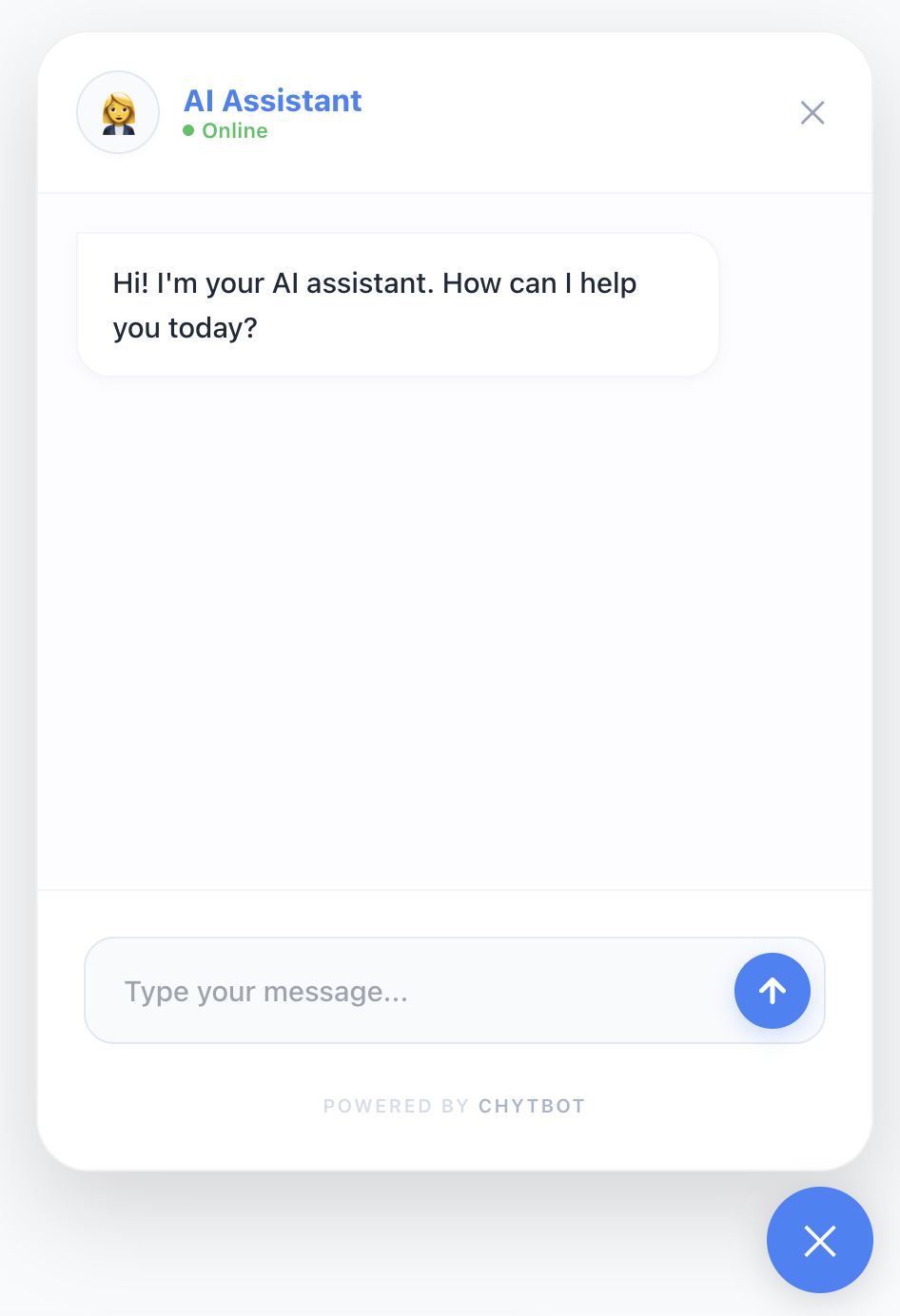
Refresh your Shopify store front-end to confirm that the chatbot appears. Send a test message to confirm it responds correctly.
<script
src="https://chytbot.com/loader.js"
data-bot-id=""
defer
></script>Need AI Assistance?
Use our pre-made prompts to let your AI coding assistant handle this for you.
Need Custom Integration?
Our team can assist with white-label solutions, API integrations, or enterprise deployments.
Contact Sales